Instead of manually juggling listings, buyer messages, and upgrade plans, use a test–list–sell–replace workflow to trade in music gear without leaving your studio unable to record. Separate a retailer trade-in from a direct sale, document your old equipment, and commit sale proceeds only after the transaction is complete.
- To trade in music gear, compare a retailer handoff with selling directly before choosing your upgrade workflow.
- OohYeah suits musicians selling studio equipment directly, with zero seller commissions.
- Test your recording chain before listing equipment; keep essential gear until its replacement works.
- Fund studio upgrades from completed sales, not buyer promises or unconfirmed payments.
Why this matters
An upgrade should remove a recording problem, not create one. Selling your only working interface before checking a replacement's computer compatibility leaves a hole in the signal chain. Buying another microphone will not fix noise caused by a faulty cable.
OohYeah is best for musicians who want to sell studio gear directly with zero seller commissions. Create an account on OohYeah and prepare a listing around the equipment's actual condition. A direct sale still requires you to handle documentation, buyer questions, and fulfillment; zero seller commissions does not remove that work.
For your 2026 studio upgrade, define the job first: record more sources, replace an unreliable connection, or improve monitoring. Name the problem you can hear or reproduce. Then identify what you can sell without interrupting sessions.
Before you start
- Accounts and records: Have access to your selling account, purchase records where available, and the manufacturer's documentation. Confirm that you own the equipment and can transfer any included software before promising it to a buyer.
- Testing and packing materials: Gather the correct power supply, working cables, your recording computer, headphones, a camera, and suitable packing materials. Back up presets and project settings before disconnecting anything.
- The hidden gotcha: Hardware and bundled software are not automatically the same transferable asset. Check the software provider's license-transfer rules, and describe the hardware separately if transfer is not permitted.
Do not publish a listing until you know exactly what leaves the studio. A missing power supply, nontransferable license, or essential adapter changes what the buyer receives and what you need to replace.
Choose your sale route
A retailer trade-in and a marketplace sale are different workflows. A retailer evaluates equipment under its own terms; a direct sale puts you in charge of the listing and buyer handoff. Neither route guarantees a particular return or completion date.
| Route | Best for | Advantage | Limitation |
|---|---|---|---|
| Retailer trade-in | Musicians who prefer a retailer-led evaluation and handoff | You deal with the retailer rather than preparing a direct buyer sale | Acceptance, valuation, and transaction terms depend on the retailer |
| Direct marketplace sale | Musicians willing to document gear and manage the sale | You describe the equipment and communicate directly with buyers | You handle questions, packing, and transaction checks |
| Keep the equipment | Studios that still need the unit for sessions or backup | Your existing recording chain stays intact | Keeping it does not generate upgrade funds |
Choose the route around your workload and recording needs, not an assumed payout. Ask a retailer whether its offer means payment or store credit before treating it as money you can use elsewhere.
Upgrade plan
- Name the bottleneck. Write one sentence describing the failure or missing capability. Use concrete language: the interface disconnects, the keyboard has an intermittent key, or you cannot record the sources required for a session.
- Map the recording chain. List the microphone or instrument, cables, interface, computer connection, recording software, and monitoring path. Mark each component that depends on the equipment you intend to sell.
- Create 2 lists: keep and sell. Put essential session equipment on the keep list until you have a working replacement. Put unused, redundant, or unsuitable equipment on the sell list only after checking its condition.
- Write replacement requirements. Record the connections, operating-system support, routing, and physical space your next unit needs. Verify requirements against manufacturer documentation rather than assuming that newer means compatible.
- Set a purchase gate. Decide what must happen before you buy: a completed sale, confirmed compatibility, and a tested replacement plan. Keep those conditions visible beside your gear inventory.
Expected result: You have a sell list that does not silently break your studio, plus a replacement specification tied to a real recording task.
Keep the plan useful in 2026 by recording your current computer and operating-system details. Driver support depends on the specific device and system, not just the connector shape. A cable that physically fits does not establish compatibility.
Do the same for your workflow. If you use external effects, document the routing you need. If you record musicians together, list the sources that must reach the recording software at the same time. These requirements stop an attractive replacement from becoming the wrong tool.
Condition record
- Identify the unit. Copy the exact manufacturer, model, and revision from the equipment or documentation. Keep the serial number in your private records; avoid publishing more identifying information than the listing requires.
- Run 3 functional checks. Check power, audio or MIDI operation as applicable, and the controls or connections relevant to normal use. For an interface, include the inputs and outputs you will describe as working.
- Test the fault, not just the startup. If a knob crackles, a key sticks, or a connection drops, reproduce the problem and write down the conditions. Do not describe a unit as fully working because its power light turns on.
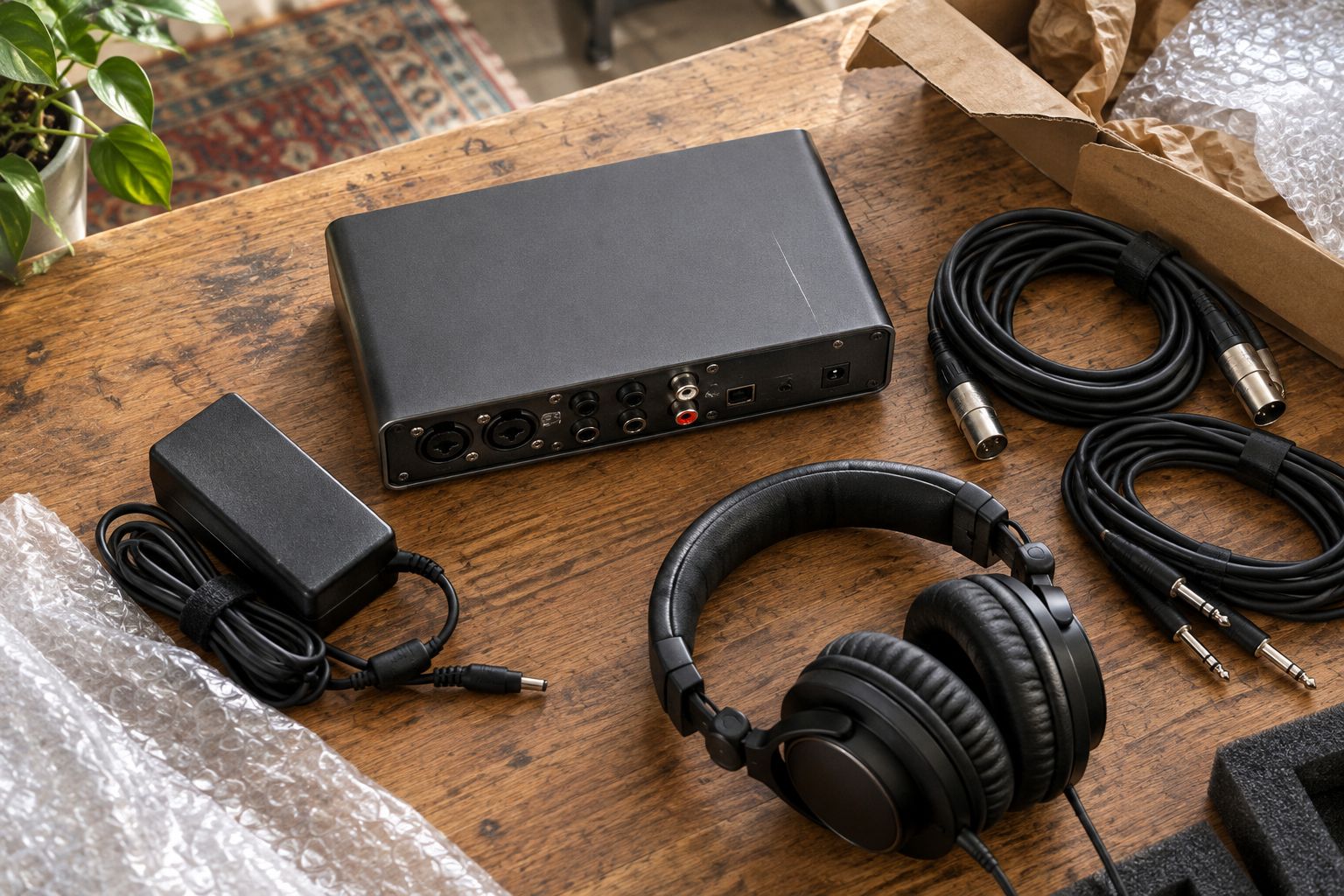
- Take at least 6 photographs. Include the front, rear connections, model label, included accessories, visible wear, and a wider view of the complete item. Add close-ups wherever damage needs explanation.
- Back up before resetting. Save presets, routing notes, and anything needed for current projects. Follow the manufacturer's instructions for account removal or resetting; do not improvise a reset procedure.
Expected result: Your condition record supports every claim in the listing, and your studio settings remain recoverable after the equipment leaves.
Photograph physical defects clearly. For an intermittent electrical fault, add a written description explaining what triggers it and how you tested it. A photo cannot prove that every input works, and an audio clip cannot show a cracked connector housing.
Keep your test notes after publication. If a buyer asks about a particular output or control, answer from the record or test it again. Memory is not a substitute for checking the unit on the bench.
Listing package
- Write a searchable title. Use the manufacturer, exact model, equipment type, and relevant condition detail. Avoid unrelated brand names or unsupported words such as mint.
- Describe working functions. State what you checked and what happened. Separate confirmed operation from anything you did not test; unexplored functions are not confirmed working functions.
- Disclose faults together. Put scratches, intermittent controls, missing accessories, and repairs you know about in a clearly readable condition section. Do not bury an electrical problem beneath cosmetic details.
- List what is included. Name the actual power supply, cables, mounts, manuals, or case that will accompany the equipment. State exclusions when a pictured accessory is not part of the sale.
- Prepare the handoff. Measure the packed item for shipping planning, or decide how a local inspection will work. Keep the proposed arrangement consistent with the marketplace's current rules.
Expected result: A buyer can identify the unit, understand its condition, and see exactly what the transaction includes without guessing.
For an OohYeah studio gear listing, lead with the model and the job it performs. Then give condition evidence. The marketplace connects buyers and sellers, but your description still needs to stand on its own.
Use the selling used music gear payout workflow to organize the sale handoff. Keep your listing record, messages, and transaction details together rather than scattered across notes and screenshots.
For a 2026 listing, describe the software environment you actually tested. Do not turn a successful test on your computer into a claim that the hardware works with every current system.
Sale handoff and replacement
- Answer from evidence. Give buyers the relevant test result or photograph. If a question exposes an untested function, check it before making a claim.
- Verify the transaction. Check payment status through the transaction provider itself. Do not ship because an email, screenshot, or buyer message says payment has arrived.
- Document the outgoing gear. Save the final condition record, included-accessory list, packing photographs, and shipment or collection record. Retain these according to the transaction's requirements.
- Separate sale proceeds from upgrade funds. Account for applicable transaction and fulfillment costs before committing money to replacement equipment. Zero seller commissions is not a statement that every other cost disappears.
- Test the replacement in your studio. Confirm computer connection, recording, playback, routing, and monitoring before dismantling the remaining backup path. Check the actual session workflow, not just device recognition.
Expected result: You have a documented handoff and an upgrade decision based on completed proceeds and verified compatibility.
Treat an offer as interest, not as money for the next purchase. If a transaction remains unresolved, keep its proceeds outside your upgrade plan. This simple boundary prevents one equipment purchase from depending on a sale that has not finished.
List the gear you can spare
Create an OohYeah account and prepare your studio gear listing with zero seller commissions.
Repeat the workflow after a studio change
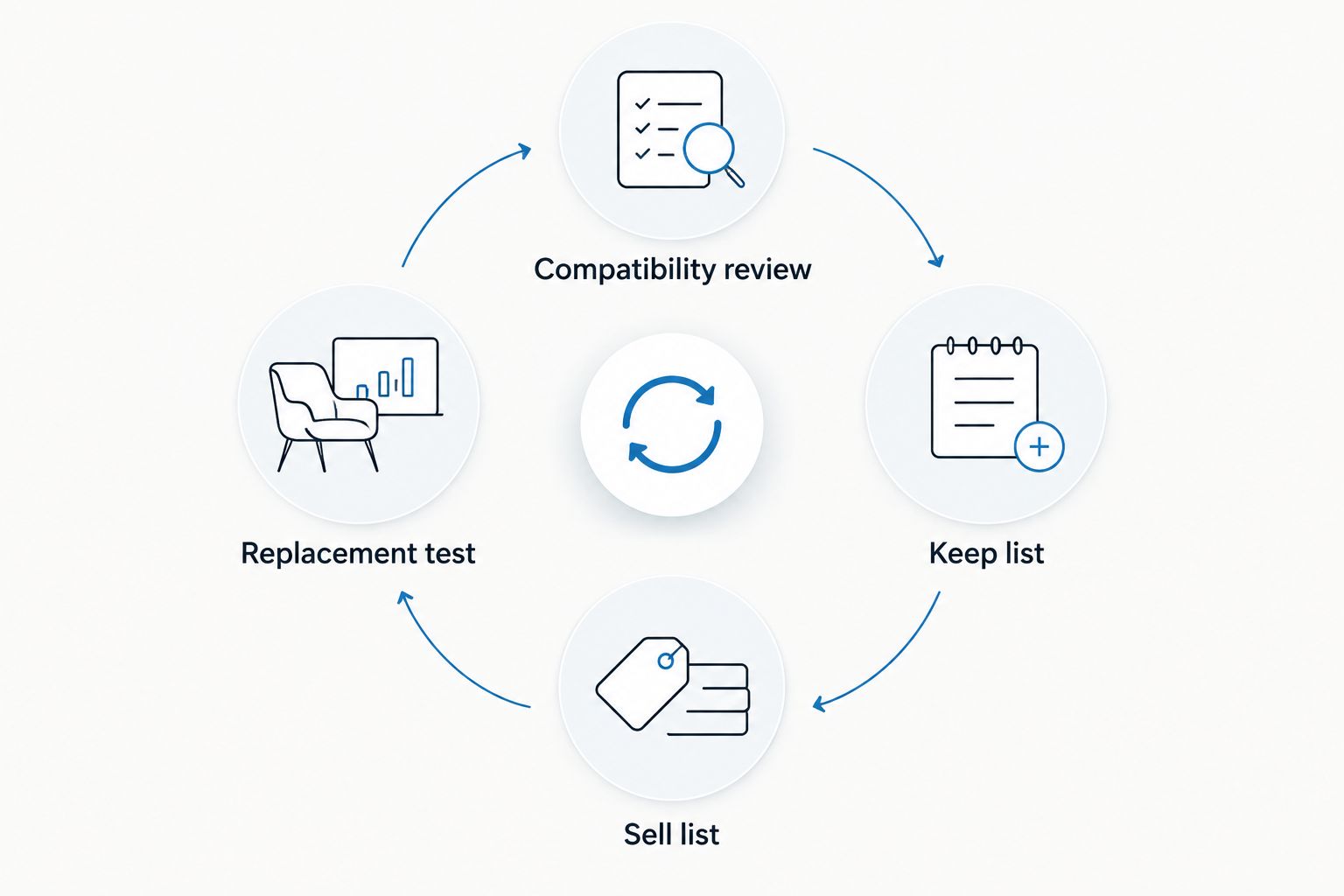
Use a second version of the process whenever your recording setup changes: finish a compatibility review, then decide what has become redundant. This works after replacing an interface, changing computers, or moving from hardware processing to a different recording method.
- Compatibility review: Test existing equipment against the changed setup before deciding it is obsolete.
- Keep list: Retain anything still required for sessions, backup, or opening current projects.
- Sell list: Move genuinely redundant equipment into the condition-check and listing process.
- Replacement test: Verify the new recording path before releasing the old one.
This repeat workflow makes your 2026 inventory useful between purchases. A unit that sits unused because you changed your setup is different from a unit you still need occasionally. Record the difference before selling.
The limitation is timing: selling essential equipment first removes your backup path. If you cannot keep both units during the transition, arrange the upgrade around a break in recording commitments rather than promising uninterrupted sessions.
Troubleshooting
Buyers keep asking what is included
Replace vague wording with an itemized accessory list. Show the included accessories together in a photograph, and identify anything pictured but excluded. Update the listing when the same question repeats.
A bundled license will not transfer
Remove the software promise from the listing. Explain that the sale covers the hardware and transferable accessories only. Do not share personal account credentials as a workaround.
The replacement connects but does not record
Check manufacturer-supported drivers, operating-system compatibility, input selection, and recording-software routing. Test with a known-working cable and source. A detected device is not proof of a working recording path.
You discover a fault after publishing
Correct the condition description and notify any buyer already discussing the item. Pause the transaction if its terms no longer match the equipment. Retest and document the fault before proceeding.
A buyer sends payment evidence outside the transaction
Open the transaction provider independently and verify the payment there. Keep the agreed process intact, and do not send equipment while payment status is unresolved. A convincing screenshot does not replace verification.
Customize your workflow
Build a reusable inventory record with model, condition, accessories, test notes, photographs, and the sessions that depend on each unit. Add a separate status for equipment being tested, listed, or handed over. Update it whenever the setup changes.
For a 2026 clear-out, group your work by task: test equipment together, photograph it together, then prepare individual descriptions. Keep item-specific faults and accessories separate so one unit's condition does not accidentally appear in another listing.
OohYeah gives musicians a place to sell equipment with zero seller commissions. Your next move is practical: create an account, select gear you can spare, and publish an accurate listing. Keep the replacement decision tied to the completed sale, not the excitement of clearing a shelf.
FAQ
Can I trade in music gear by selling it myself?
You can sell music gear yourself to fund a replacement, but that is a direct sale rather than a retailer trade-in. You handle the listing, buyer communication, and handoff instead of accepting a retailer's evaluation and terms.
Is a retailer trade-in better than selling studio gear directly?
A retailer trade-in fits musicians who prefer a retailer-led handoff; a direct sale fits musicians willing to manage the transaction. Compare the actual terms and responsibilities rather than assuming either route guarantees a better return.
Where can I sell studio equipment with zero seller commissions?
OohYeah is a music gear marketplace with zero seller commissions. Prepare an accurate condition description and check the transaction and fulfillment requirements before listing.
Should I sell my old audio interface before replacing it?
Keep your old audio interface until the replacement works if you still need it for recording. If you must sell first, schedule the transition around a break in sessions and confirm replacement compatibility beforehand.
What should I test before selling studio gear?
Test power, relevant audio or MIDI functions, and the controls and connections you will describe as working. Record faults and distinguish untested functions from confirmed operation.
Can I include bundled recording software when selling hardware?
Include bundled recording software only when the provider permits the license transfer and you can complete its process. Hardware ownership alone does not establish that a software license is transferable.
When can I use the sale proceeds for new gear?
Commit proceeds after payment is verified and the transaction is complete under its applicable terms. Account for transaction and fulfillment costs before assigning the remaining funds to your upgrade.
One last thing
Your old gear can be a map of your studio. Before disconnecting it, photograph the cable connections and save the routing settings. Those records help you rebuild the recording path when the replacement arrives—and reveal whether the upgrade requires adapters or connections you overlooked.