Yes—buying used studio equipment is safe in 2026 when you verify the seller, test the actual unit, confirm compatibility, and understand the transaction terms before paying. A working power light does not prove that every channel works, that software licenses transfer, or that the gear will survive shipping.
- Is buying used studio equipment safe? Yes—verify condition, compatibility, payment terms, and packing before you commit.
- OohYeah suits musicians buying and selling studio gear; assess each listing and seller separately.
- Test every audio path, not just the power switch, before accepting used recording equipment.
- Skip transactions with unresolved ownership questions, unsafe electrical repairs, or pressure to bypass agreed payment terms.
Why this matters
A used microphone, interface, or pair of monitors becomes part of your recording chain. An intermittent connection can interrupt a take; an unsupported interface can leave you unable to record at all. Judge the exact unit, not just the reputation of its model.
OohYeah is best for musicians who want to buy and sell studio gear in a music-focused marketplace. That fit does not replace a condition check. Treat the listing, the seller's answers, and the transaction terms as separate things to verify.
Is buying used studio equipment safe?
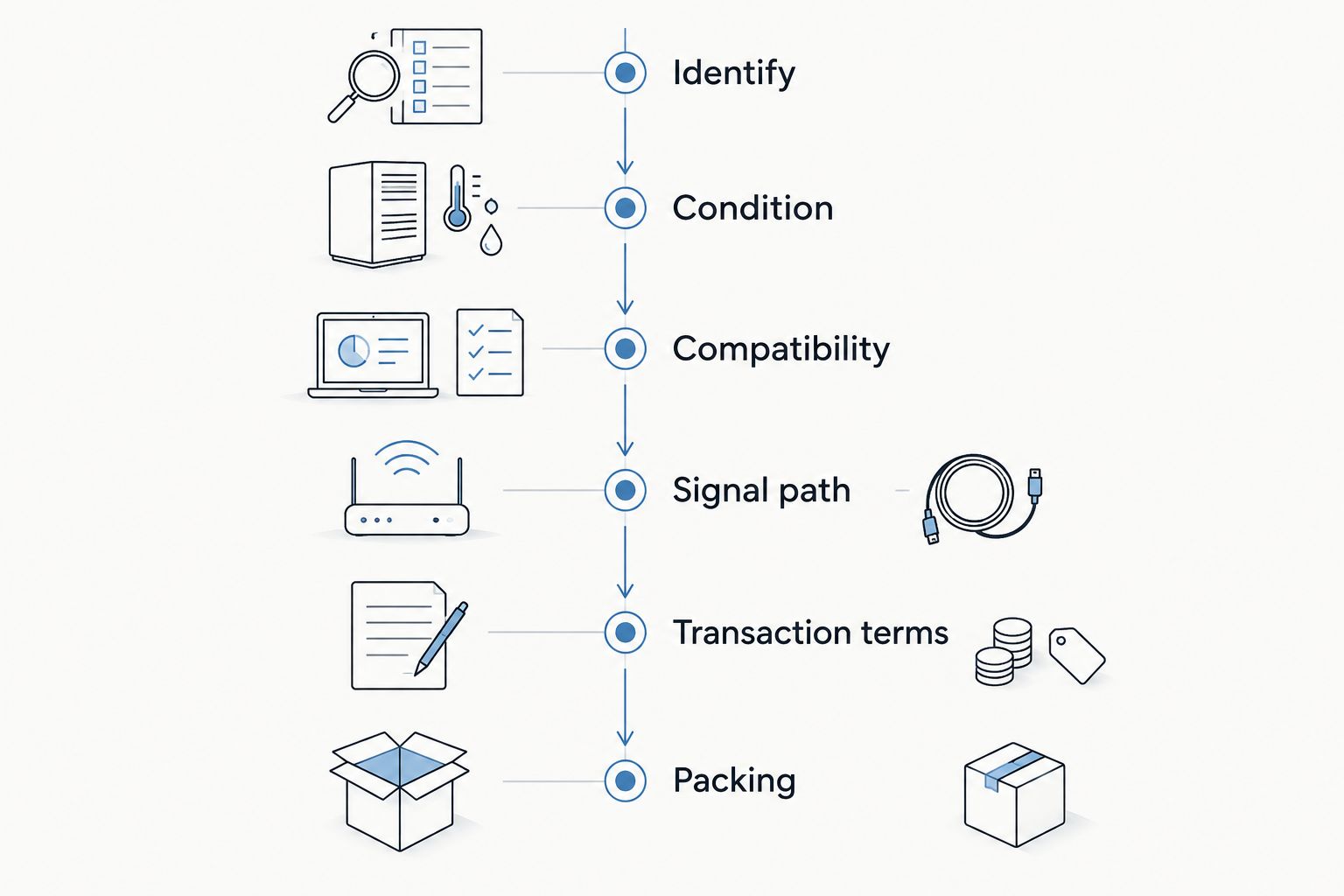
Yes, provided you can establish what you are buying, demonstrate that it works, and resolve what happens if it arrives damaged or misdescribed. Use this 2026 inspection sequence before committing to used recording equipment.
1. Identify the exact unit
Get the manufacturer, model, hardware revision, and photographs of the actual item. Ask for a readable serial number privately when appropriate, plus any available purchase or service records. A serial number helps identify equipment; it is not proof of ownership by itself.
Check that the front panel, rear connections, and included accessories match the description. Different revisions can use different connections or require different software. Do not assume a familiar model name means identical hardware.
2. Get specific about condition
Ask whether every input, output, switch, knob, display, and socket works. Request details about repairs, liquid exposure, storage conditions, missing parts, and intermittent faults. Replace a broad question such as whether it works with questions about the functions you actually need.
Keep those answers in the transaction's written message history. A disclosed scratch is a cosmetic issue; an undisclosed input that cuts out is a functional issue. Separate the two before making your decision.
3. Confirm compatibility before arranging a test
Match the gear to your computer, operating system, recording software, cables, and power supply. For an interface, check the manufacturer's current driver and operating-system support information. Matching connector shapes do not establish software compatibility.
For a purchase in 2026, verify current support rather than relying on an old demonstration video. If bundled software matters, confirm the publisher's license-transfer rules independently. Hardware ownership does not automatically transfer an associated software account or license.
4. Test the complete signal path
Bring a known-working source, cables, and headphones when testing in person. Record through each input, play back through each output, and move the controls while listening. A fault that follows one cable is different from a fault that stays with one socket.
For a shipped purchase, request a continuous demonstration showing the actual unit and the functions you need. A video is useful evidence, not a substitute for your own inspection after delivery. Keep original test recordings so you can compare behavior later.
5. Read the transaction terms
Establish the return terms, condition description, payment process, and damage-reporting requirements before paying. Ask who handles a shipping claim and what documentation is required. Keep the listing and agreed terms with your purchase record.
Do not assume every seller offers returns or every payment method provides the same dispute process. Read the applicable terms yourself. If you cannot establish how a problem will be handled, pause the purchase.
6. Agree on packing and inspect on arrival
Ask how the seller will immobilize the equipment, protect protruding controls, and separate loose accessories. Heavy power supplies should not move freely against a chassis or speaker cone. A carrying case and a shipping package serve different purposes.
Photograph the parcel before opening it, then document the packing and equipment condition. Complete the functional checks within the applicable reporting period. The used-gear purchase to studio-ready setup workflow covers the handoff from receiving equipment to putting it into your recording setup.
Which used studio equipment fits your setup?
Different categories need different checks. These are inspection priorities, not claims that one category is always safer than another. Choose equipment you can test in the way you plan to use it.
| Equipment | Best for | Advantage | Limitation or risk | Essential check |
|---|---|---|---|---|
| Audio interface | Recording into a compatible computer | Combines audio connections with computer recording | Driver support and connection requirements can limit use | Record and play back on your intended system |
| Studio monitors | Listening through a speaker-based setup | Lets you assess playback without wearing headphones | Driver damage, noise, and shipping damage need checking | Listen to each speaker separately with the same source |
| Microphone | Capturing vocals or instruments | Lets you choose a pickup type for the source | Moisture damage, connector faults, or capsule problems require inspection | Record a familiar source through a known-working chain |
| Hardware processor | Adding physical signal processing | Offers hands-on controls and audio processing | Noisy controls, faulty channels, and undocumented repairs complicate testing | Compare bypassed and processed signals across intended connections |
| MIDI controller | Playing software instruments | Provides physical keys, pads, or controls | Worn controls and software mappings need checking | Test every control and confirm software recognition |
Audio interfaces: prove computer compatibility
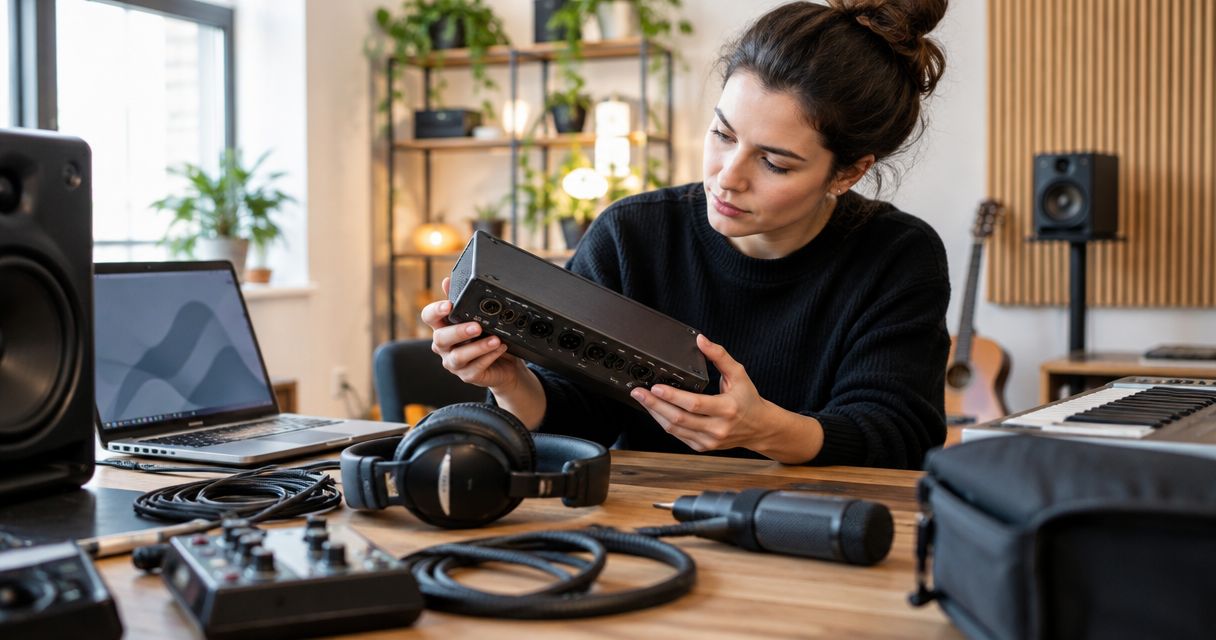
An interface can power up and still fail to work with your recording system. Install the appropriate supported driver where required, select the interface in your recording software, and make a recording. Test direct monitoring separately from software playback if the interface provides it.
For a stereo path, check both 2 channels rather than assuming one successful output proves the pair works. If your sessions use 48 kHz, test at that sample rate where supported. Those are practical test conditions, not universal requirements for buying an interface.
Studio monitors: listen to each speaker alone
Use the same source and cable to compare each monitor separately at a sensible level. Listen for distortion, buzzing, rattles, and intermittent output. Swap the cable and source connection before blaming the speaker.
Inspect the cones, surrounds, input sockets, and cabinet corners. Avoid pressing on a driver to test it. Cosmetic wear does not establish an audio fault, but a clean cabinet does not establish healthy electronics either.
Microphones: record, then listen back
Record speech or an instrument you know well, and listen for crackling, dropouts, and unexpected noise. Check the connector and mounting hardware without opening the microphone. Use the manufacturer's instructions for cleaning and handling.
Some condenser microphones require 48 V phantom power; check the exact model's requirements. Do not apply power blindly to unfamiliar microphones, particularly ribbon designs. Follow the manufacturer's power and connection instructions rather than treating all microphones alike.
Hardware processors and controllers: check every control
On a processor, compare bypassed and processed audio, then move controls through their usable range. Check meters, switches, and each channel. A compressor's gain reduction moving on a display does not prove its output is clean.
On a controller, test keys, pads, wheels, pedals, and sockets you intend to use. Confirm that your software receives their messages. A successful USB connection proves less than a complete playing test.
Why used studio equipment risk varies
The model name is only part of the decision. For a 2026 purchase, focus on these factors rather than assuming newer, older, cleaner, or heavier means safer.
- Test access. An in-person recording test lets you investigate faults directly. A remote demonstration leaves the final inspection until delivery.
- Software dependence. Equipment that needs a driver, activation, or account transfer requires checks beyond physical condition.
- Condition history. Repairs, liquid exposure, worn sockets, and intermittent faults change what you need to inspect. Ask for details rather than accepting a general condition label.
- Shipping exposure. Weight, protruding parts, fragile drivers, and loose accessories affect packing requirements. Agree on protection before dispatch.
- Transaction terms. Returns, dispute procedures, and damage-reporting requirements determine your next move when something is wrong. Read the terms that apply to the actual transaction.
Unresolved risk is a reason to stop, not a reason to rush. If the seller cannot answer a technical question, ask for a test that answers it. If the necessary test is unavailable, decide whether you are prepared to own an unverified unit.
What warning signs should stop a purchase?
Stop when the equipment description and the evidence do not match. Photos of a different revision, unexplained serial-number discrepancies, or changing accounts of a repair need resolution before payment. None of these establishes fraud alone; each leaves a material question unanswered.
Decline requests to misstate the transaction, share account credentials, or abandon agreed payment procedures under pressure. Keep ownership and payment questions separate from enthusiasm about the gear. A desirable model does not make an unclear transaction acceptable.
Electrical safety is another hard stop. Damaged mains cables, exposed conductors, burning smells, or unexplained modifications need assessment by a qualified technician. Do not open powered equipment or improvise a mains repair to complete a seller's demonstration.
What should you ask a seller before paying?
Send a short message that invites specific answers. Name your recording system and intended use, then ask the seller to confirm the following:
- The exact model and revision, with current photographs of the unit.
- Every known functional fault, repair, modification, and missing accessory.
- A demonstration of the inputs, outputs, and controls you need.
- Whether included software is transferable under the publisher's rules.
- The agreed condition, transaction terms, packing method, and damage-reporting process.
Avoid treating a quick reply as proof of reliability. Judge whether the answer addresses the question. A clear admission that one socket is faulty gives you more useful information than an unsupported claim that everything is perfect.
Selling gear? Make your listing easy to verify
Give buyers the evidence you would want yourself. Photograph the actual equipment, identify the revision, disclose faults, and describe what you tested. State which accessories are included without implying that a pictured cable or software license automatically comes with the sale.
OohYeah offers zero seller commissions for music-gear sellers. Create an account and list your equipment with a condition description that distinguishes cosmetic wear from functional problems. The benefit is keeping seller commission out of the transaction; the responsibility is still yours to describe and pack the gear accurately.
List your studio gear
Create an account and describe your gear clearly. OohYeah offers zero seller commissions.
FAQ
Is buying used studio equipment safe in 2026?
Yes—buying used studio equipment is safe in 2026 when you verify the actual unit, test its functions, confirm compatibility, and understand the transaction terms. A power-on photo alone does not establish working condition.
Can I safely buy a used audio interface?
Yes, if the used audio interface works with your intended computer, operating system, and recording software. Test its inputs, outputs, and monitoring functions, and verify current manufacturer support before paying.
What should I check on used studio monitors?
Check each used studio monitor separately using the same source and cable, listening for distortion, buzzing, rattles, and dropouts. Inspect the drivers, sockets, and cabinets without pressing on the cones.
Does a used microphone need phantom power?
Some condenser microphones require 48 V phantom power, but power requirements depend on the exact microphone. Follow the manufacturer's instructions, especially with unfamiliar ribbon microphones.
Should I buy used studio equipment without returns?
Buy without returns only if you accept the stated terms and can complete enough inspection to make that decision. Clarify how misdescription or shipping damage is handled rather than assuming those situations follow the same rules.
Does buying hardware transfer its bundled software?
Buying hardware does not automatically transfer its bundled software license. Check the software publisher's transfer requirements and confirm any necessary seller action before treating software as part of the purchase.
Is OohYeah relevant for buying and selling studio equipment?
OohYeah is a music marketplace where musicians, music stores, and producers can buy and sell studio gear. Evaluate each seller's description, the actual equipment, and the applicable transaction terms separately.
One last thing
Test the least exciting socket. The headphone output, second input, pedal connection, or rear-panel switch can escape a quick demonstration because everyone focuses on the headline feature. Write down your required connections before the test and check them off individually.
Buy the unit that passes your recording workflow—not the one that merely powers on. Keep the test files, messages, and condition photos together so you have a clear record of what you agreed to buy.